 |
|  | ||||||||
|
| ||||||||
SAP Business Network has been re-platformed onto SAP Business Technology Platform (BTP). With this, the Network is AI ready, faster to innovate, and seamlessly connected across SAP and non-SAP systems. Your account migrates as part of a planned wave — SAP manages the process. When your migration is scheduled, you’ll receive a 30-day notice with everything you need to prepare. Your data, your configurations, your transaction history, and your supplier relationships all carry over. For most buyers, the preparation effort is modest. If your organization uses Managed Gateway for Spend & Network, there are a few specific steps we’ll walk you through.
Your migration is scheduled by SAP as part of a planned wave.
SAP analyzes each customer account based on deployed features, current configurations, and usage patterns to determine wave placement. There’s no application or sign-up process — SAP determines your placement and notifies you. You’ll receive a minimum 30-day advance notice before your migration date with your specific timeline and next steps.
SAP’s goal is for all customers to be migrated by early 2027. If your organization uses Supply Chain Collaboration, your wave is scheduled to begin in the second half of 2026.
•The legacy platform will eventually be sunset. While the exact date hasn’t been announced, migration is mandatory for all customers.
•New capabilities — including AI agents and advanced analytics — are only available on the new platform. Accounts that haven’t migrated won’t have access.
•SAP Business Network on BTP is a prerequisite for any future upgrades to SAP Ariba Procurement Applications on BTP.
Your trading relationships remain intact.
All Suppliers are being upgraded as well, but these upgrades are independent of Buyers. The Network design supports full interoperability, so an upgraded Buyer can continue to seamlessly transact with a Gen 1 Supplier and vice versa.
Log a ticket via SAP for Me and include: your currently scheduled migration dates, your reason for requesting a delay, and a proposed new timeframe within 2026 or Q1 2027. SAP will review and, where possible, accommodate.
Everything that matters. SAP handles the move.
SAP runs the upgrade in the background — there’s no reimplementation, no data loss, and minimal downtime. When your account migrates, the following carry over automatically:
Your SAP Ariba applications are on a separate migration timeline — but your integrations and configurations between SAP Business Network and SAP Ariba applications remain intact through the transition.
This migration does not require any manual endpoint updates. This only applies if your organization has not yet completed the separate migration from BTP Neo to Cloud Foundry for Managed Gateway for Spend & Network. If that migration is still pending, a dedicated page maintained by the ISMG team has everything your IT team needs — current schedule by region, technical steps, and webcast recordings. Check that page directly and check back regularly as details are actively updated.
Go to SAP Integration Suite, Managed Gateway — BTP Neo to CF Migration ›
Your interface has been updated. Here’s what to expect.
SAP Business Network has a new look on BTP — updated navigation, cleaner layout, faster load times. A series of short walkthrough videos covers every major area of the new buyer interface: homepage, supplier enablement, notifications, purchase orders, invoices, and more.
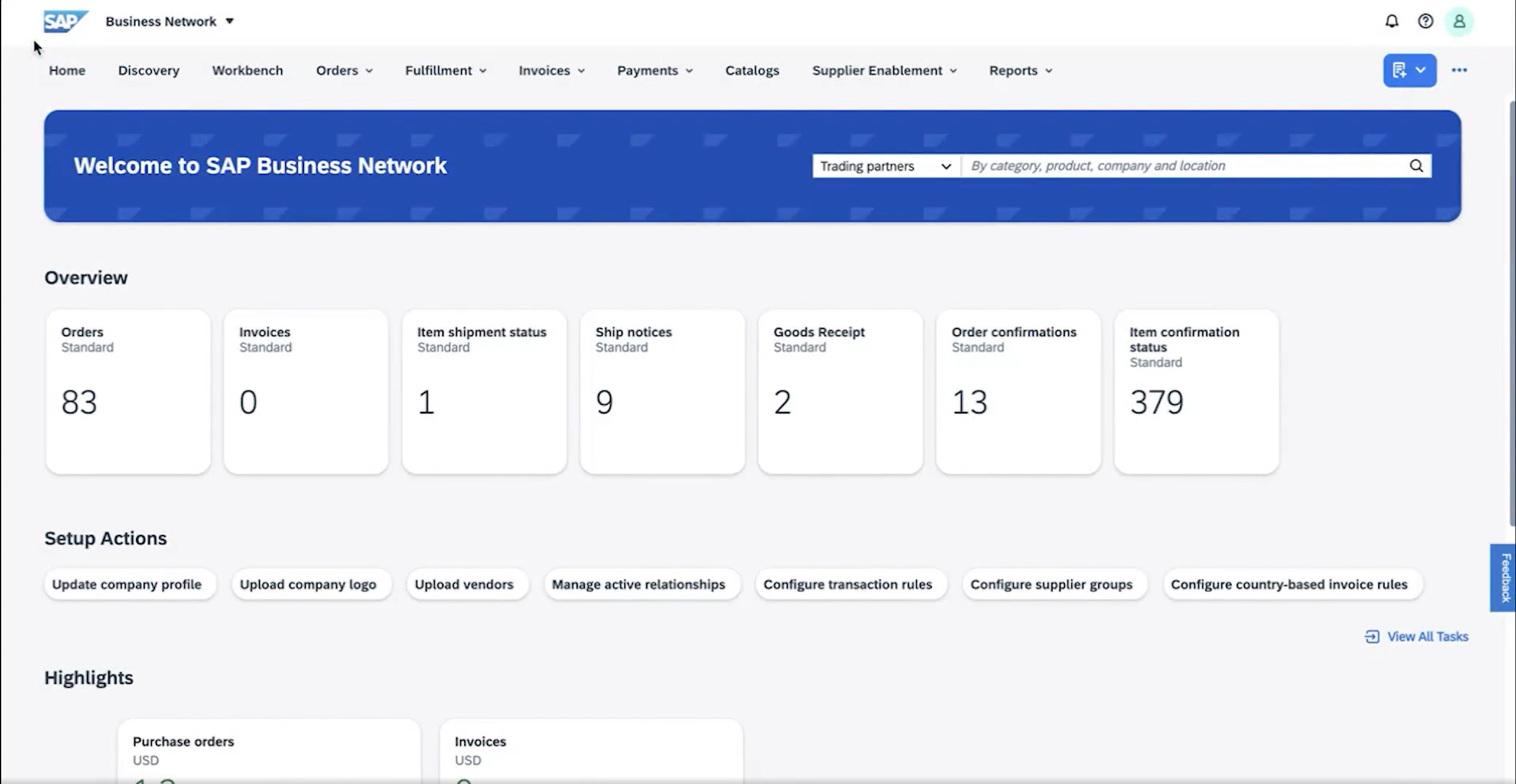
Watch the buyer UI video series ›
If your organization has built training guides or how-to materials for your suppliers, those will need to be refreshed for the new interface. The supplier video library covers the new supplier experience end-to-end and is ready to use as your foundation.
Browse the supplier UI video library ›
You can set up a test supplier account using walk-up self-registration to see the new experience before updating your materials. Whether your test account lands in the NextGen environment depends on the country you register from — SAP maintains a live list of supported countries that is actively expanding.
View country-specific supplier onboarding ›
A new column in your Current Relationships view shows whether each supplier is still on the current platform or has already migrated to NextGen SAP Business Network. You can check it directly in the platform or pull it from your relationships report export.
For most buyers: validate, spot-check, and you’re done.
•Register for an upcoming Buyer Summit session to hear directly from the SAP product team on migration timelines, new features, and what to expect. — Register here
•Confirm the right stakeholders in your organization are subscribed to receive upgrade-related notifications. — SAP Note 2900069
•If your organization uses Managed Gateway for Spend & Network and has not yet completed the separate BTP Neo to Cloud Foundry migration, flag that work with your IT team now so they’re ready to move ahead of your migration date. — Managed Gateway migration page
SAP manages the migration entirely. There’s no form to submit, no migration window to manage, and no sign-off required before go-live. A few things are worth confirming once your account is live on BTP:
•Validate your priority transactional use cases are running correctly — purchase orders, invoices, and any business-critical workflows
•Check that your configurations and business rules carried over as expected
•Confirm your user access and notification settings are still in place
If your organization is subject to country-specific e-invoicing mandates, the Regulatory Change Manager (RCM) is your source of truth for the latest requirements and updates. You can subscribe to updates for specific solutions or countries directly through the tool.
Open the Regulatory Change Manager › How to use the RCM — SAP Community ›
Most questions about the BTP migration are answered in the FAQ. If your suppliers are raising questions about the migration, you can point them there too — it covers the full migration for both buyers and suppliers.
If the FAQ doesn’t resolve your issue, the support process hasn’t changed. Use the following steps when logging a case related to your BTP migration:
1.Log in to SAP for Me using your S-user account — me.sap.com
2.Include “BTP Upgrade” in the case subject header
3.SAP Support and Product Success will be monitoring queues for new cases - for more information on case priority levels and SLAs, refer to the SAP Support Portal
New to logging a ticket in SAP for Me? Review the step-by-step guide ›
A refreshed administration guide is available for SAP Business Network on BTP. Bookmark it for post-migration reference — it covers all buyer administration workflows on the new platform.
This information reflects the status of SAP Business Network planning as of May 2026 and is subject to change at any time without notice. SAP assumes no responsibility for errors or omissions and nothing in this web page should be construed to represent any commitment by SAP to include any specific new features in any version of the SAP solutions.