 |
| ||||||||

You are using SOA Manager in order to replicated BOM from SAP ERP into SAP Ariba Sourcing.
A logical port was configured for the /ARBA/CO_SOURCNG_BOMUPLOAD_OUT proxy point to SAP Ariba Servers using the following path:
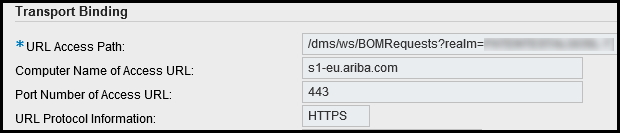
Whenever you ping the web service or try to replicate the BOM master data from SAP ERP you received a RC = 406 error message and the data is not replicated
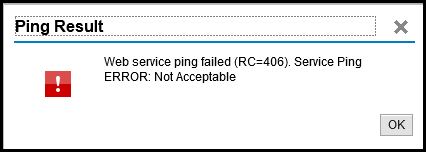
SLG1 log: SRT: Wrong Content-Type and empty HTTP-Body received: ("HTTP Code 406 : Not Acceptable")
1) Besides the error point to 406 (wrong HTTP Headers), this issue sometimes is related to the wrong user ID / password combination used in the "Consumer Security" section

2) You are not entitled to use the BOM feature or this is not turned on in your realm
For SOA Manager error information please refer to the following URL: https://launchpad.support.sap.com/#/notes/0001947516
Strategic Sourcing
Supplier Information & Performance Management
Supplier Lifecycle & Performance