 |
| ||||||||

Where can I see my reporting data loads? How do I understand what the Start Time means to me?
To look at your schema to see if data loads have run: Access Manage-->Administration-->Reporting Manager-->Schema Manager-->Presentation schema.
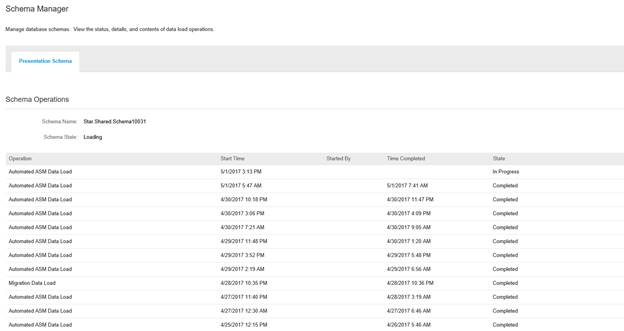
Here you will find the listing of data loads with how often they run, the length of time the loads are running for and can determine what data is in each data load. To understand what data should be pulled by a load, you can look at the data load "Start Time" and compare it with the previous data load "Start Time". Data between these times should be updated by that data load.
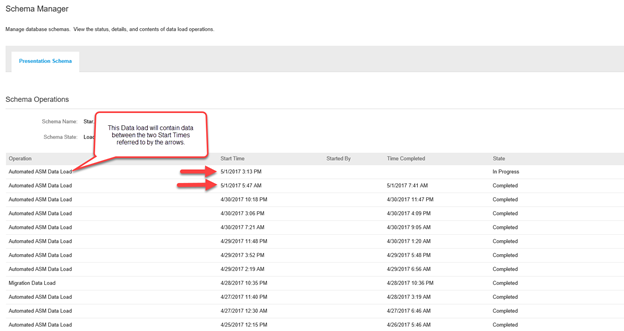
Note: If a data load has not yet started (In Progress) it will be listed as “Scheduled” it will still contain a start time. However, “Start Time” in a data load process that is “Scheduled” status will present the first possible time it can be scheduled by the Data Load queuing process. This means, until this time, the data load will not be waiting in queue.
Invoicing
Purchasing
Spend Visibility
Strategic Contracts
Strategic Sourcing
Supplier Information & Performance Management