 |
| ||||||||

FAQ KB0394232
Why is the bid adjustment field not available in events using Dutch Reverse Auction Bid Transformation template?
Question
Why is the bid adjustment field not available in events using Dutch Reverse Auction Bid Transformation template?
Answer
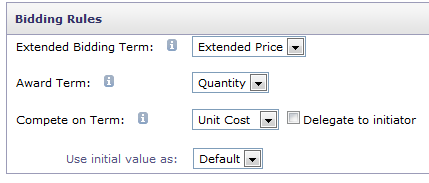
The bid adjustment field was not available in the events created using Dutch Reverse Auction Bid Transformation template because the Award Term was not displaying quantity in the bidding Rules of the Line item in template.
The Quantity term selected was of the answer type Whole number and not the one with the answer type Quantity. Upon replacing the correct quantity term in the Item definition, the bid adjustment field was visible.
Please follow the following steps to make these changes.
- Open the template Dutch Reverse Auction Bid Transformation template.
- Under Overview tab > Actions > New Version.
- Under documents click on the event template and select edit.
- Navigate to Content tab.
- Under definitions, select Item and click on edit.
- Remove the Quantity term.
- Click on Add Term.
- Add the Quantity term now with the answer type Quantity.
- Under Bidding Rules, Award term can be set to Quantity now.
- Click ok and exit.
- Actions > Publish.
Applies To
Strategic Sourcing > Sourcing Events