 |
| ||||||||

FAQ KB0393002
Where do I find the next version of a collaboration request (re-collaboration request)?
Symptom
Where do I find the next version of a collaboration request (re-collaboration request)?
Resolution
Because a new version represents a re-collaboration of the original collaboration request, you can only access it from the previous version of the purchase order. It is technically considered a change order.
To access the new version of the collaboration request:
- Search for the original PO number generated from version 1 of the collaboration request.
- Open the most recent version of the PO, and scroll to the bottom of the page.
- The Change Order Request(s) section shows the active re-collaboration request. For suppliers, click the link to view and respond to the re-collaboration request.

To ensure you (the supplier) receive email notifications related to re-collaboration requests, select the Send a notification when change order requests are updated option within the Electronic Order Routing notification settings: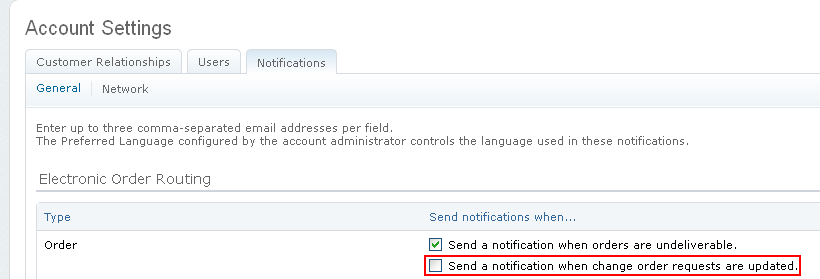
Applies To
SAP Business Network for Procurement & Supply Chain > Transaction Documents