 |
| ||||||||

The Purchase Orders are failing in production with the below error:
The Supplier: AN01402XXXXXX and the Buyer: AN01052XXXXXX associated Connection is not configured or saved.. Suggested Action : Configure Connection information at CIG-Portal -> Project -> Basic Information -> Connections or CIG Portal -> My Configurations -> Connections. For instructions refer to CIG Portal -> Resources -> Implementation Guides -> User Guide -> How to configure Ariba Network connection.For further assistance, please contact CIG Support with Error Code : CIG-PLT-00641
You are trying to send transactions to Production but you only have CIG projects in testing status so the transactions are failing since no connection is configured.
The CIG project is deployed only for in testing, it is necessary to move the same to Production so the PO's from Production start working.
- Sign in to CIG.
- Click My Configurations > Projects.
- Select the desired project, click in Select > Edit (
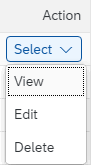 ).
). - Click Next until you see the page where the tests are performed.
One of the steps to move the project to production, is to create test scenarios when you create the project. You can add the required test scenarios and schedule to run.
- Once the test result is a pass, the highlighted buttons as above are enabled. You can click on the Run Buyer Test which will send an e-mail to the buyer admin and they need to approve the test results. You can also click on Skip Buyer Test and yourself can approve the test results.
- If you skip the test you will see a page where the go-live button will appear(
 ).
). - The date and the time on the screen will the current time (PST) and click on Go Live or you can also select a different date if you want to schedule the go-live of the project.
- After the project is moved to Production, the PO's from PROD will no longer have the error.
If the projects are configured correctly, it's also possible that the issue is caused by an orphan connection under My Configurations > Connections.
Delete any connection that is not currently being used in the projects to avoid such inconsistencies.
SAP Business Network