 | English |

Markdown
My Auction or Competitive RFP has less than 60 minutes remaining and I need urgent assistance from Support. How do I get this urgent / expedited support so that my bid or proposal has equal opportunity to be accepted?
Q: How can I get expedited phone support for sourcing bidding events?
A: As of August 18, 2023, the feature Expedited Support Requests on Sourcing Auctions (SS-40648) adds a new Request Immediate Assistance button on the event page when it has less than 60 minutes remaining. This new button provides faster and more efficient phone support to buyers and suppliers during urgent bidding situations.
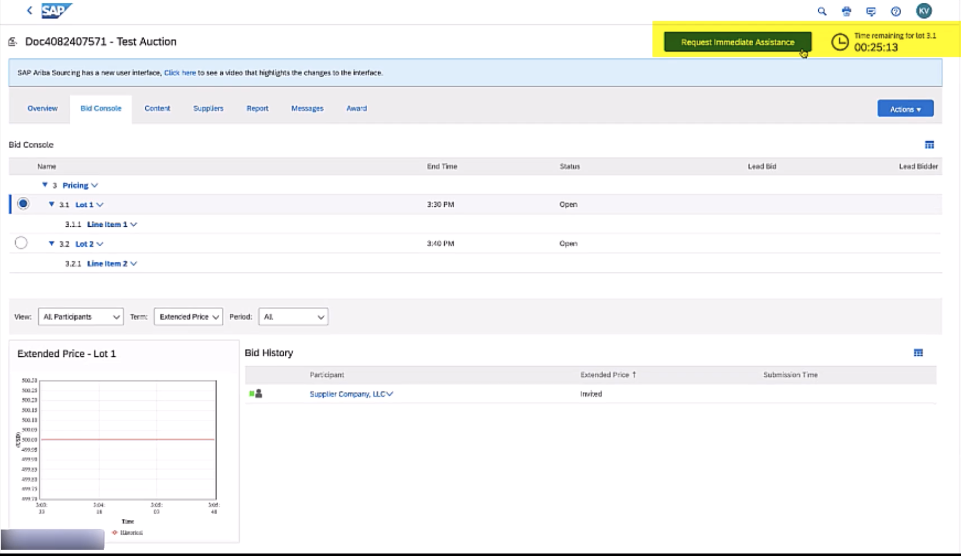
Q: When does the Request Immediate Assistance button appear?
A: The Request Immediate Assistance button appears on competitive auctions and RFPs in Open or Review state with less than 60 minutes remaining on the event clock. The button will not appear while the event is in Preview state. If you do not see the Request Immediate Assistance button, you may still get support in the Help Center.
Q: How do I use this expedited phone support?
A: Click on the Request Immediate Assistance button (only available during the last 60 minutes of the event) and you will be automatically logged into your account in the Help Center and prompted with two options:
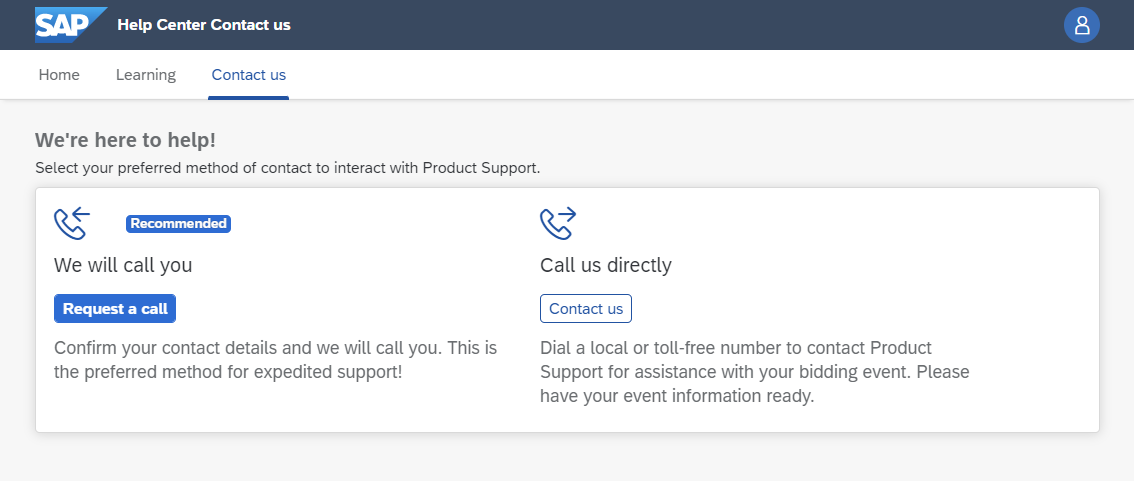
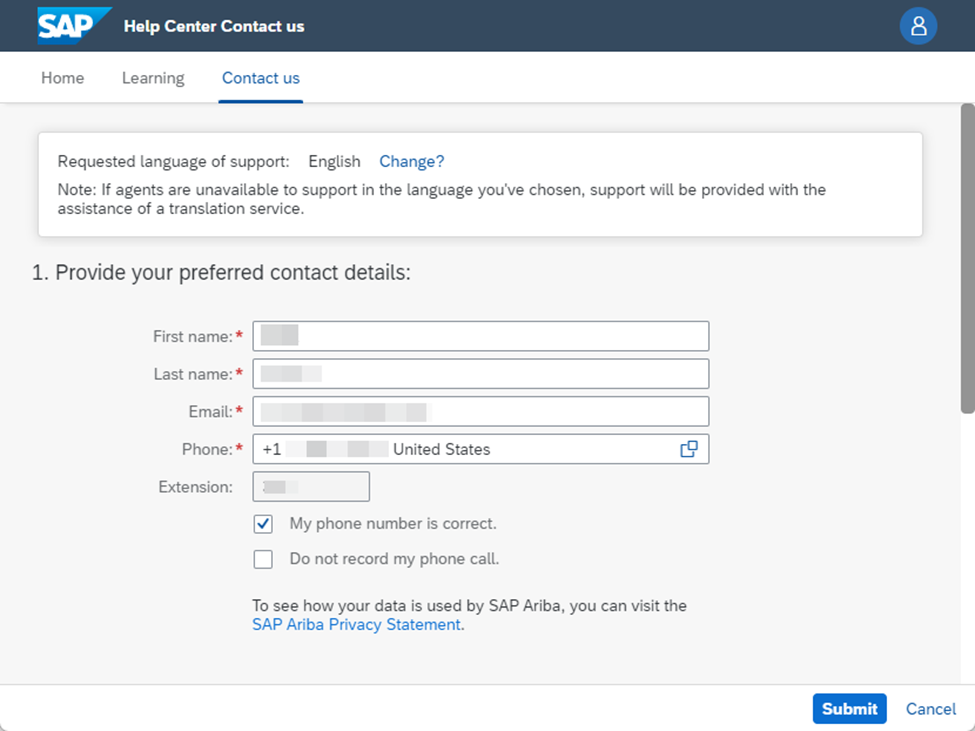
- Option 1 - We will call you (Recommended) – Click Request a call and you will be prompt to enter your personal information (First name, Last name, Email and phone number are required). Click Submit and you will receive an expedited call from the product support team. The call will be escalated to the appropriate product support team with the event information to ensure faster and better assistant.
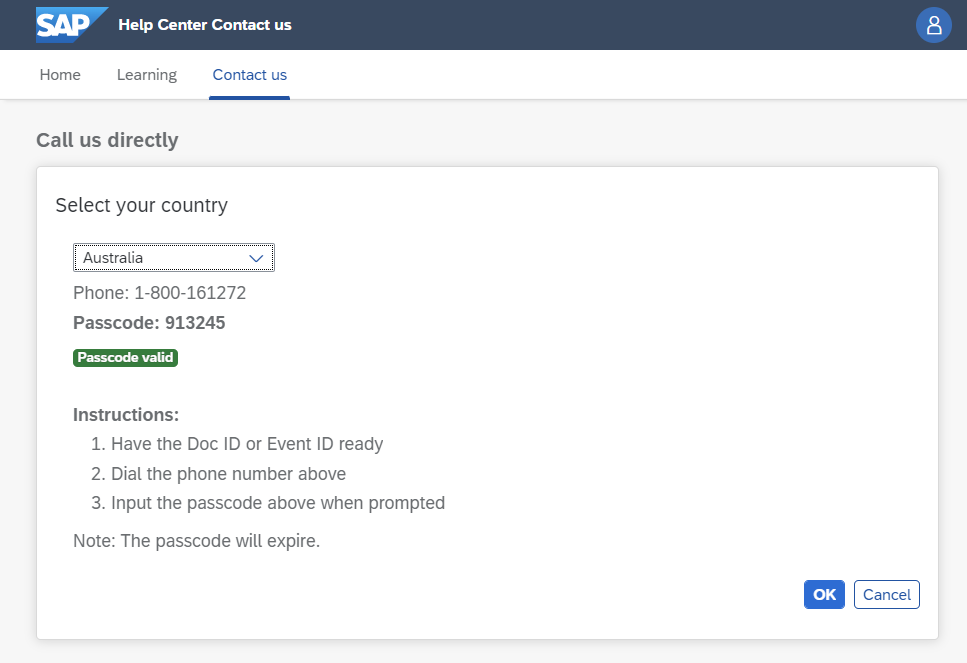
- Option 2 - Call us directly – Click Contact us and select a country from the dropdown. You will be prompted with a phone number and a passcode to complete the call. The language of the support call will be based on the selected country. Have your Doc ID and Event ID ready. Click OK to close the window.
To watch a full demo provided in our webcast, click here.
For detailed information about this change, see our FAQ.
To get support when the Request Immediate Assistance button is not available, please follow these steps:
- Click the help (?) icon in the upper-right corner of the application.
- Click Contact Us at the top of the Help Center page.
- Type "live auction" or another key term in the search box and press Enter.
- Click Create a Case in the bottom right corner and complete the form with your information to submit a case.
Ariba Connect