 |
| ||||||||

A customer is attempting to export bid responses in both the base currency of the event and the respective local currency. However upon exporting, they find that it is difficult to distinguish between the two because no currency codes (acronyms) are exported. In addition to this, multiple currencies use the dollar ($) symbol and some currencies have no symbol associated. What is the cause of this?
After the bid currencies are toggled by accessing Actions > Toggle Bid Currency, the user interface (UI) displays both the base currency bid and the respective local currency bid. In the UI, the currencies are distinguished by currency codes. However, the codes are not transferred into Microsoft Excel upon exporting all rows.
Bids in the UI:

Bids upon exporting all rows:

How the bid amount displays depends on how this is configured in the Export Currency (CSV) task. You can view the currency codes and symbols by following these steps:
Manage> Administration> Site Manager> Date Import/Export> Search "Currency"> Export the Export Currency (CSV) task
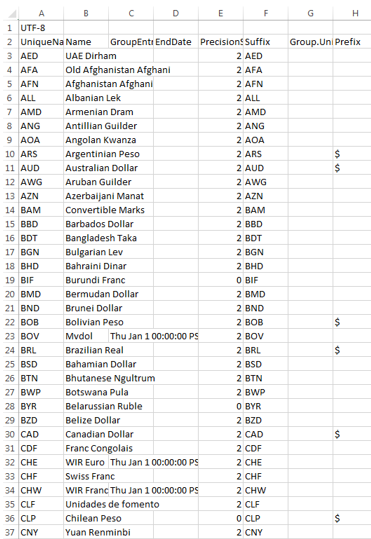
The export task in which currency codes and symbols are located cannot be changed through import. The only method for capturing this currency information in the export from the event is to manually edit, and add the information to the spreadsheet. The customer can also view the currency information within the Supplier Response Report PDF, but this report does not allow for side-by-side comparison of supplier responses.
Strategic Sourcing